Every client is a separate search
Each client has different competitors, countries and settings. You rebuild the library with the right settings every time.

Coming soon.
We are building the next-generation Chrome extension for the Facebook Ads Library. Want to hear from us when we launch?
Privacy PolicyCollecting, sorting and writing up competitor ads for every client eats the same hours each month. AdVantage Scope shortens the collecting and sorting; the report is built in your spreadsheet, in your layout.
The report is built once, but the data is collected by hand every month. The more clients you have, the more often you repeat the same work.
Each client has different competitors, countries and settings. You rebuild the library with the right settings every time.
The link, advertiser and date of each chosen ad are copied one by one. Losing a row while copying is easy.
The client asks what changed. To separate new ads from stopped ones you go back to old screenshots.
The report layout is yours; what changes is how the data reaches your desk.
The same loop repeats for every client, every month.
Keep every client's search as a link and its card filters as a named preset. Auto Scan collects the results, cards show age and stage, and you save the ads you pick with a double-click on the creative and export them to Google Sheets.
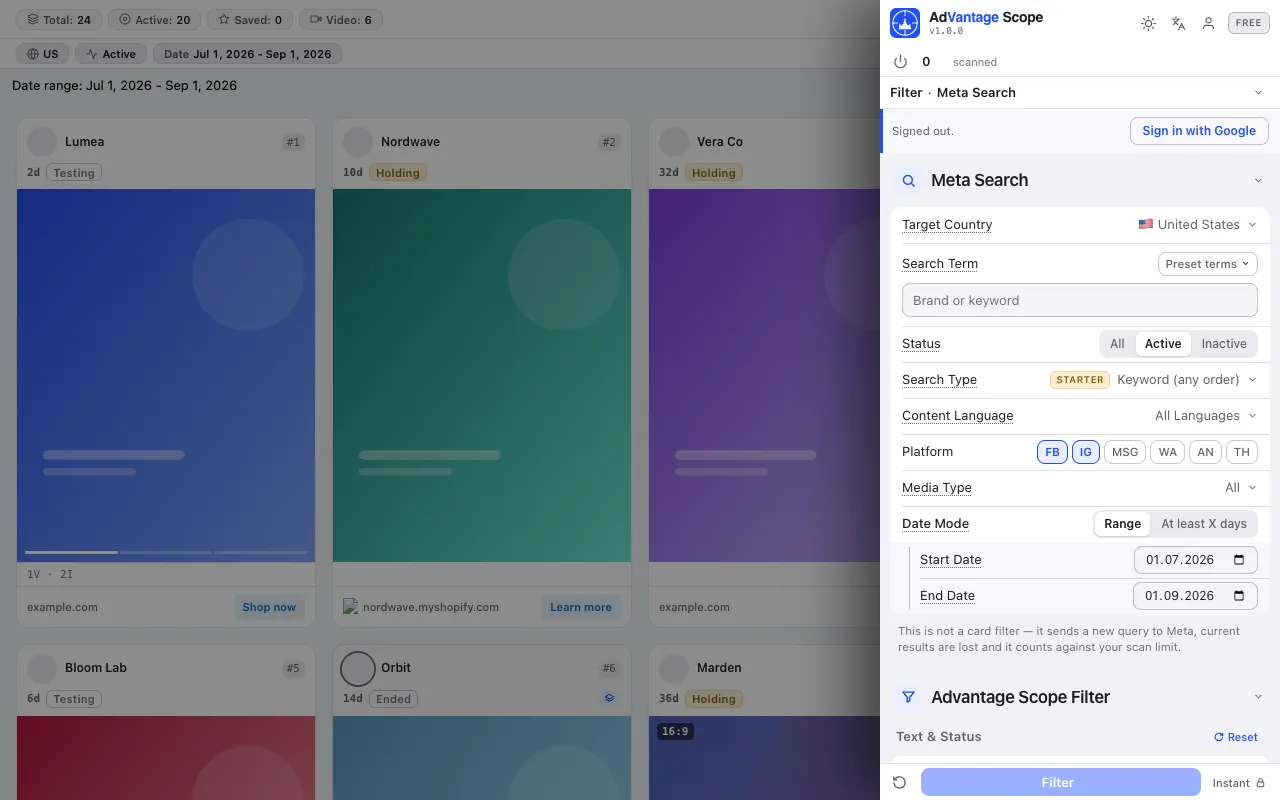
The screenshots below were taken from the extension itself, on top of the Ad Library page.
Country, term, status, language, platform, media and date in the side panel. The library keeps the search in its address: build each client's link once with our search link builder and bookmark it. Save the card filters with Save as preset under the client's name.
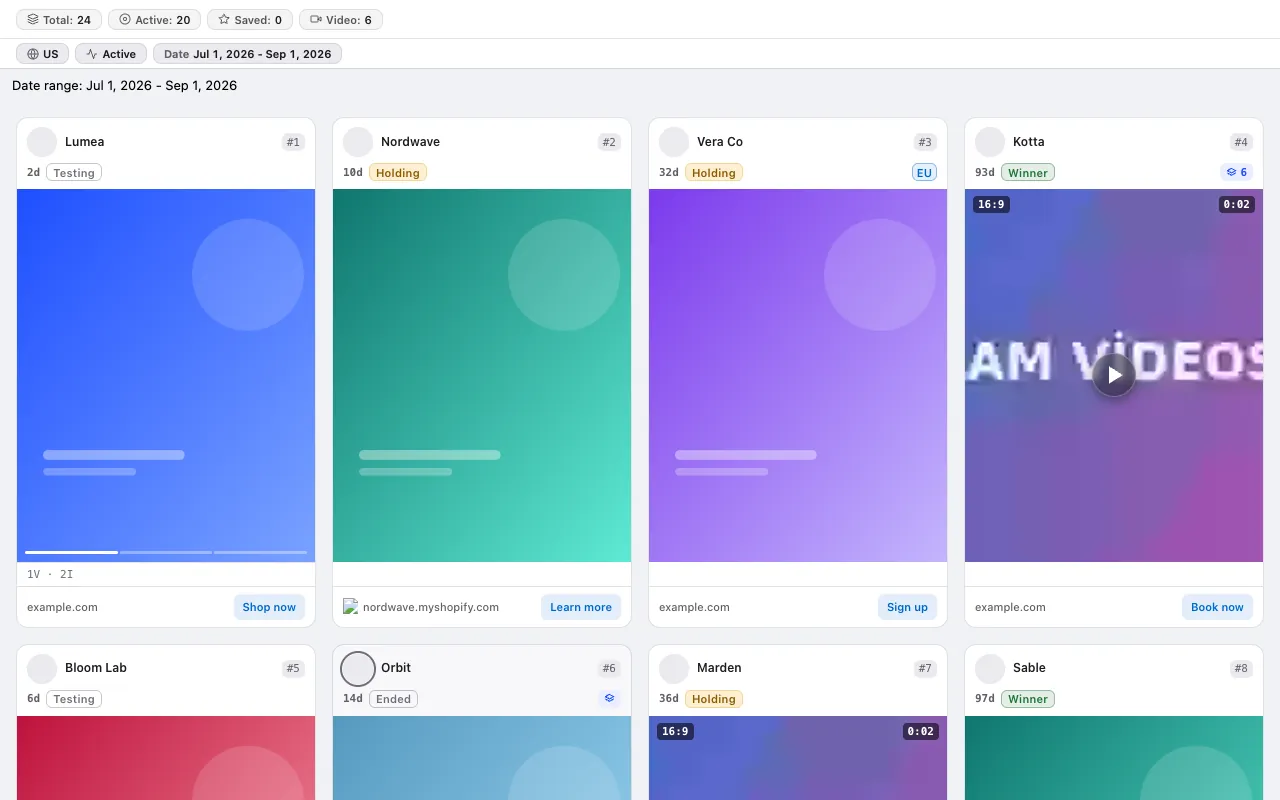
The "how long has it run" and "how many variations" columns of your report are ready on the card: Test, Growth, Scale, Winner, and a separate Ended status.
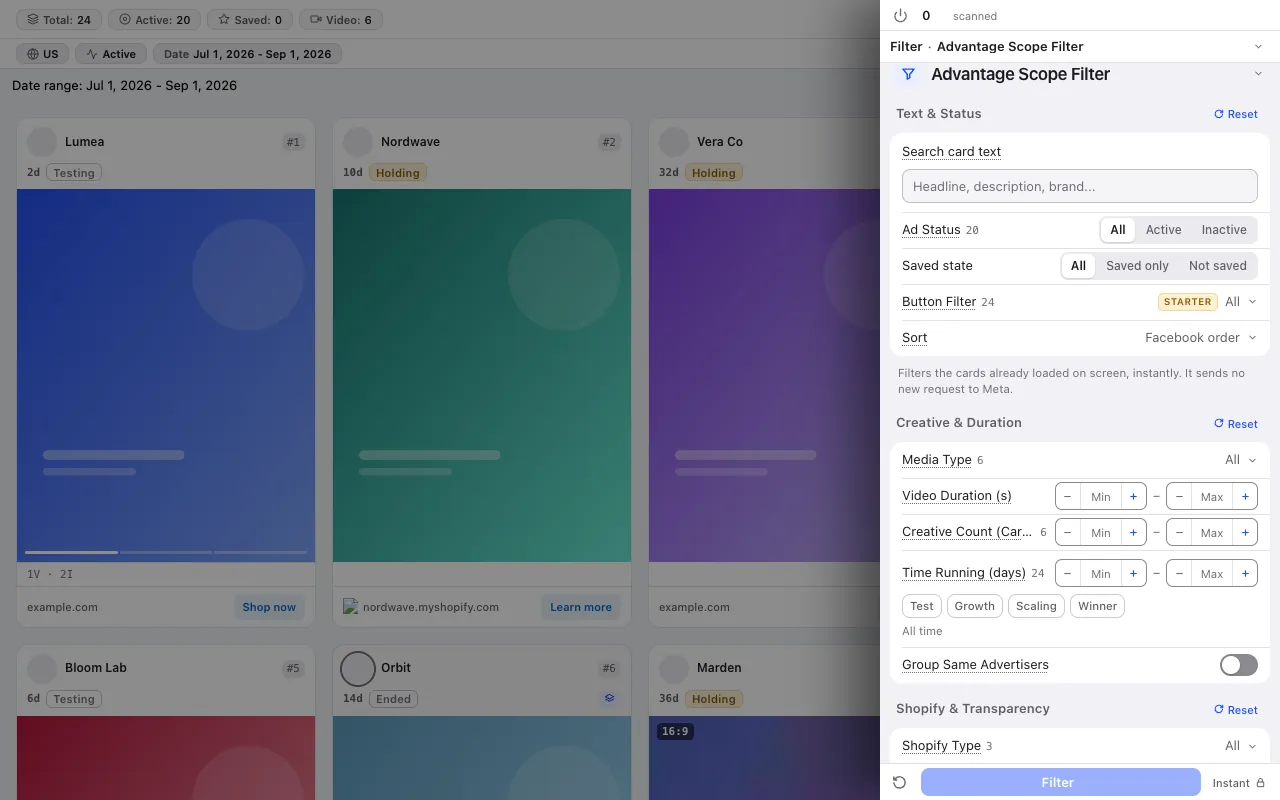
With 14 card filters you take ads outside the client's category off the screen and collapse one advertiser's cards into a single group.
The collected data moves to a spreadsheet, where the analysis happens.
Double-click the creative, or right-click the card and choose Save, to keep the ads that go into the report; show only saved ads with the saved status filter.
In the Starter plan you send your saved ads with one click to a new spreadsheet the extension creates in your own Google account; new rows are added under the old ones. See Google Sheets export.
The Analytics tab pulls the five most active advertisers, the age distribution and winner candidates from the scanned ads; a starting point for the summary of your report.
No credit system: every plan has a fixed scan limit. The free plan asks for no card. Compare plans
For the step-by-step method, read the guide: A monthly competitor ad report for clients: template and workflow for agencies · The competitor ad audit that wins a pitch: a one-session method for agencies · An ad research database in Google Sheets
The free plan asks for no card and no Facebook login.
Press the link in the email we sent to start your subscription. You can unsubscribe at any time with the link in every email.