Age is invisible
There is a start date but no day count. An ad that has run for months and a test opened yesterday sit in the same grid with the same weight.

Coming soon.
We are building the next-generation Chrome extension for the Facebook Ads Library. Want to hear from us when we launch?
Privacy PolicyOpening a competitor's library is easy; reading what they keep, what they stopped and what they just started testing is not. AdVantage Scope writes that difference on the card.
The Ad Library lists the ads a competitor is running today. Which one is a fresh test and which one has been spending for months is left for you to work out.
There is a start date but no day count. An ad that has run for months and a test opened yesterday sit in the same grid with the same weight.
When an advertiser runs the same message with different creatives, the list grows. You cannot see which cards are variations of one idea without opening them.
When you come back to the same competitor a week later, you have to remember which ads you already looked at and what is new.
The library's data is the same; AdVantage Scope makes it something you can decide on.
Next time you compare what changed by hand again.
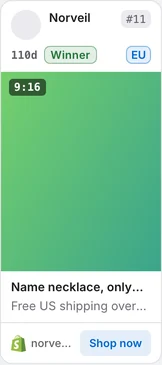
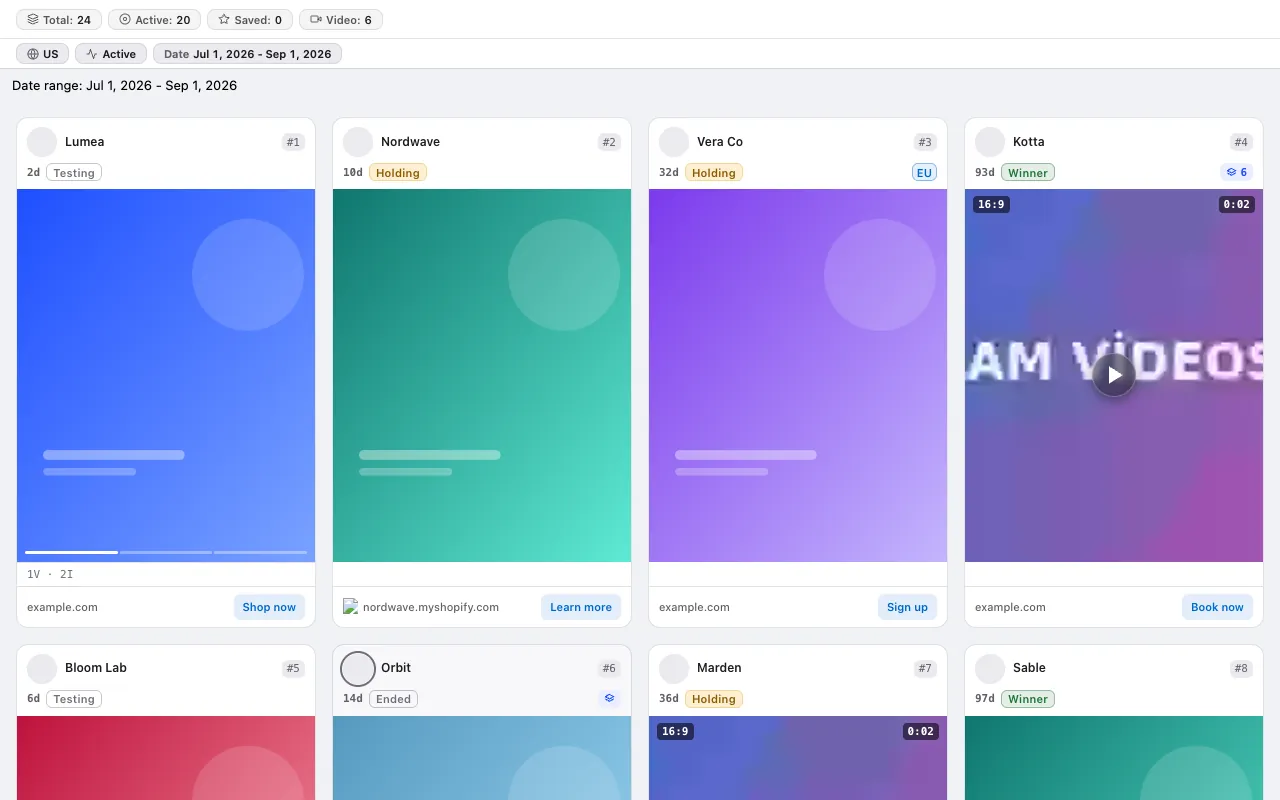
Every card shows its age, stage and variation count. Sort by the longest running, group the same advertiser and watch the creative by hovering over it.
The screenshots below were taken from the extension itself, on top of the Ad Library page.
Test, Growth, Scale, Winner — plus a separate Ended status once it stops running. Winner means running 45 days or more and still active. You separate the creatives a competitor really keeps at a glance.
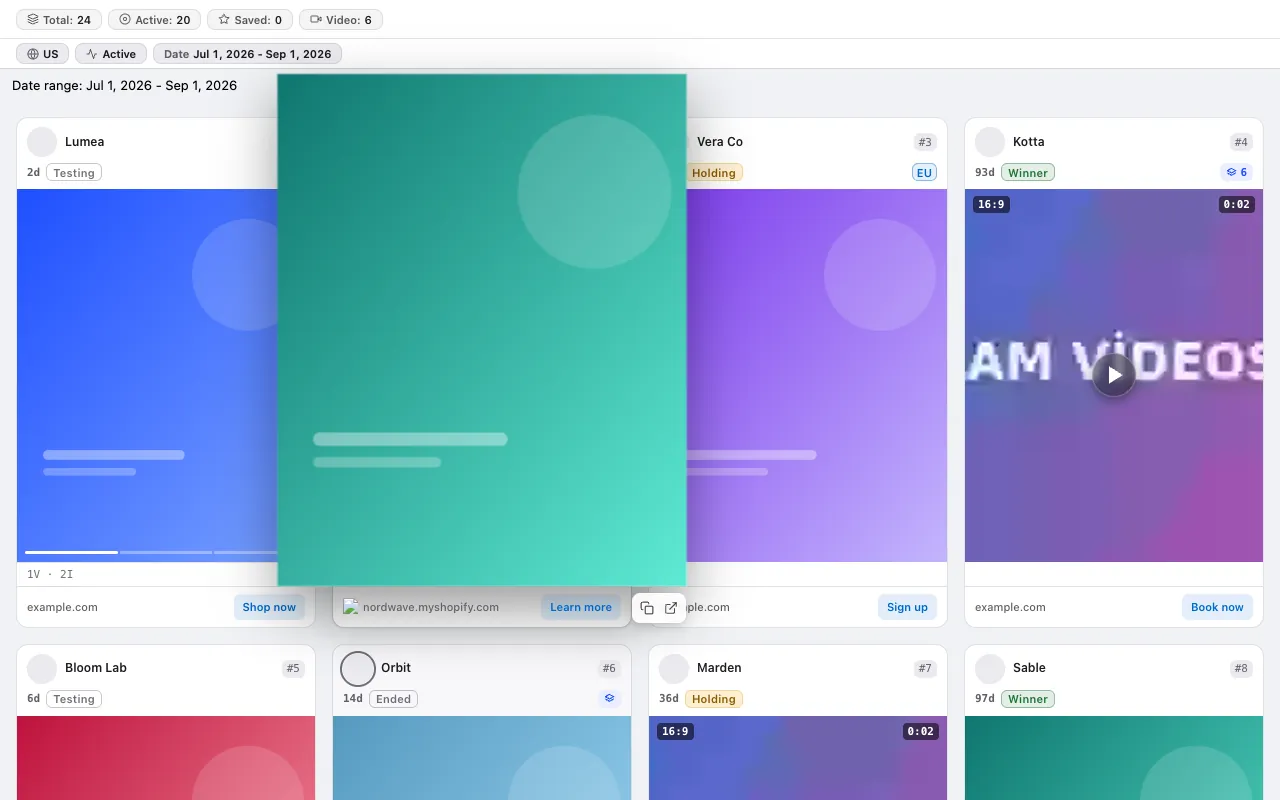
Hover a card and the creative grows while the video plays by itself. You pick the speed up to 4× and get through long videos quickly.
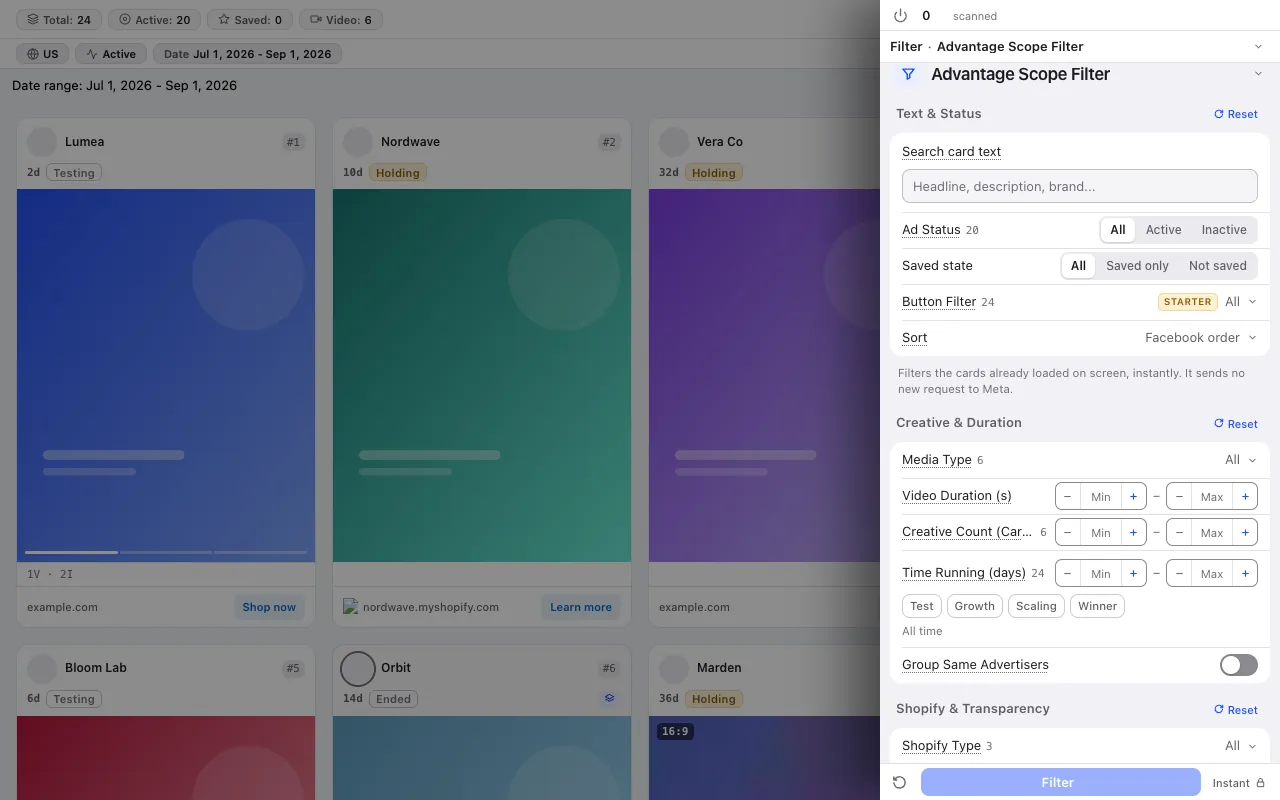
14 card filters apply instantly to the cards on screen: ad status, media type, video length, days running, stage, button. Cards from the same advertiser collapse into one group.
Competitor research is not a one-off; these tools make repeating it easy.
The library keeps the search in its address: build the competitor's link once with our search link builder and bookmark it, and save the card filters as a named preset. Next week you are back in the same view in one click.
The extension marks the ads you hovered and looked at; you can filter out the ones you have not reviewed. The reviewed filter is in the Pro plan.
The Analytics tab pulls the five most active advertisers and freshly started creatives from the scanned ads; that is how you find the real competitors in a category. For the whole category: Facebook ads market research.
No credit system: every plan has a fixed scan limit. The free plan asks for no card. Compare plans
For the step-by-step method, read the guide: Competitor ad analysis: the difference between looking and measuring · How to build a competitor creative swipe file you will actually use · Facebook ad copy research: reading the words, buttons and offers competitors repeat · Carousel ad research: finding multi-card ads in the Ad Library
The free plan asks for no card and no Facebook login.
Press the link in the email we sent to start your subscription. You can unsubscribe at any time with the link in every email.