Too many brands to count
You can see that a product is everywhere, but not who runs the most ads, or how many brands use the same ad text.

Coming soon.
We are building the next-generation Chrome extension for the Facebook Ads Library. Want to hear from us when we launch?
Privacy PolicyOne competitor's ads tell you about one brand. A search across a category tells you what the whole market sells, at what price and with which promise. AdVantage Scope sums up every ad in that search in its Analytics tab.
A search for a product or a niche returns hundreds of ads from many brands. Reading them one by one leaves an impression, not numbers.
You can see that a product is everywhere, but not who runs the most ads, or how many brands use the same ad text.
Price, free shipping, discount and money-back promises sit inside each ad's text. Comparing them means reading every card.
Without an age for each ad you cannot say whether the category is full of long-running ads or of creatives started last week.
The Ad Library shows the ads; the question is who adds them up.
The result is a sample of the ads you had time to read.
Auto Scan loads the search result, and the Analytics tab sums up every scanned ad: total, active and inactive, video and image share, top advertisers, keywords, buttons, offer language and price points.
Every number below is counted from the ads scanned in the search, not from a sample you picked.
The five advertisers with the most ads in the search. Click a name and the cards are filtered by that text, so you see that brand's ads side by side.
The words that repeat across ad texts, headlines and descriptions, and the most used buttons with their share. Click one and the cards are filtered by it.
Prices are read from the ad text where they are written with a currency sign or code. You get the median and, once there are enough prices, their distribution. Currencies are not converted, so search one country at a time.
How many ads promise free shipping, a percentage discount, cash on delivery, limited stock, money back or buy one get one. The patterns are kept narrow on purpose, so a match is a real promise in the text.
Signals that describe the category, not a single ad. They stay empty until the search has enough ads to be meaningful.
How many ad texts are used by more than one brand. The match is made on the text, not on the image, so it shows copy that is shared across advertisers.
How the scanned ads spread by age, and how many of them started recently. A category with many fresh starts is testing; one full of long-running ads has settled.
The share of ads that lead to a Shopify store, and the average number of variations per ad.
Card filters (status, media, days running, stage, button, Shopify type) change what you see on the page; the Analytics tab keeps summing up every scanned ad, so the market view does not shrink with your filter.
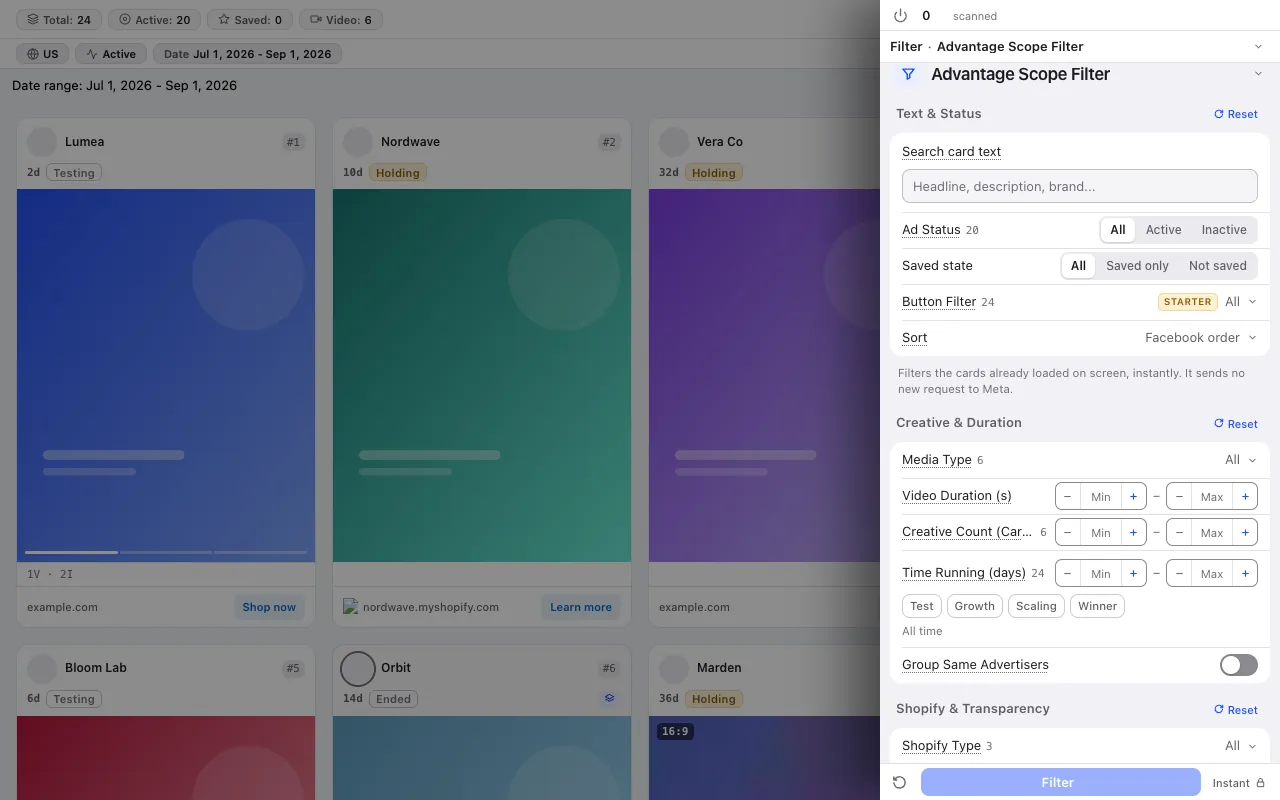
No credit system: every plan has a fixed scan limit. The free plan asks for no card. Compare plans
For the step-by-step method, read the guide: Competitor price research from Facebook ads: reading price points and offers · Facebook ad copy research: reading the words, buttons and offers competitors repeat · Before you pick a niche: comparing niches in the Meta Ad Library
The free plan asks for no card and no Facebook login.
Press the link in the email we sent to start your subscription. You can unsubscribe at any time with the link in every email.